 USD
 KES - Kenya
 UGX - Uganda
 TZS - Tanzania
 RWF - Rwanda
 NGN - Nigeria
 ZAR - South Africa
 GHS - Ghana
 ETB - Ethiopia
 ZMW - Zambia
 USD - International

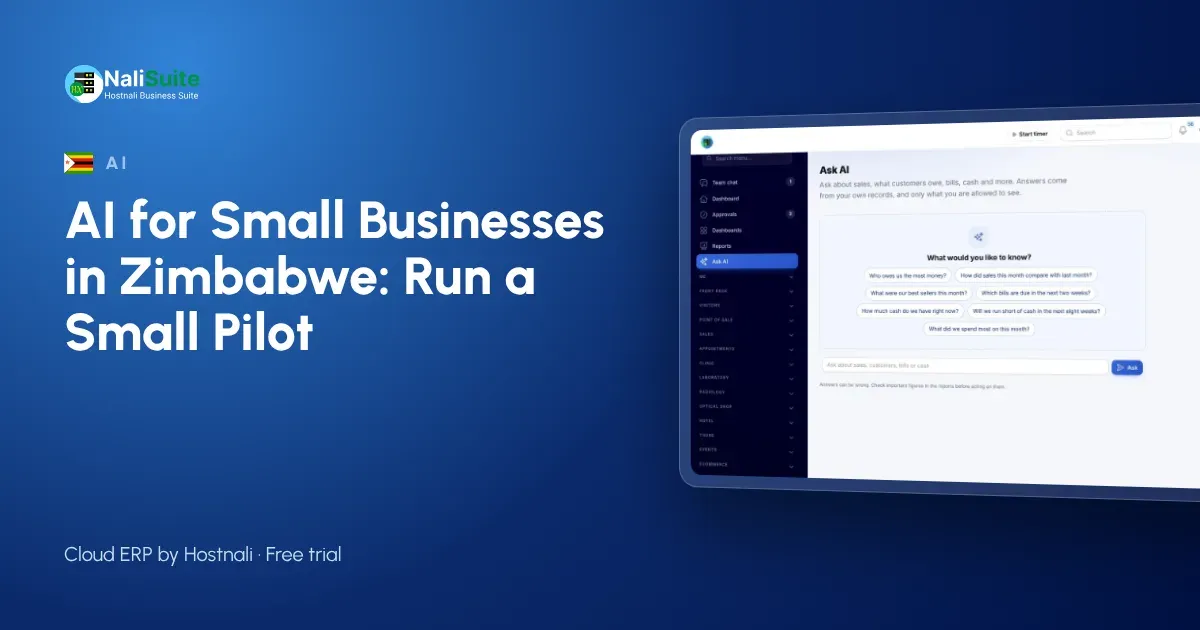
Zimbabwean businesses are used to adapting fast: new currencies, new payment methods, new rules. AI is another change to handle, and the businesses that do it well treat it like any other new process. They run a small pilot first.
Here is how to pilot AI in six steps, with a Harare example and the points on data and cost to settle along the way.
Step 1: write down the problem, not the tool
Start with a sentence such as: “We spend two days a month typing supplier invoices” or “I never know who owes us money without asking the bookkeeper.” If you cannot write the problem down, AI will not solve it.
The problems that AI tools handle well in a small business:
- typing supplier invoices and receipts
- getting quick answers from your own sales and accounts
- seeing cash coming in and going out over the next weeks
- writing first drafts of replies to customer questions
Step 2: match the problem to a tool
In NaliSuite:
- Supplier invoices and receipts: Document AI reads PDF supplier invoices and phone photos of till receipts. It picks out the supplier, invoice number, dates, lines, VAT and totals, and matches the supplier by tax number or name, or adds a new one.
- Questions, cash and replies: the AI business assistant answers plain-word questions from your live sales, invoices, bills and books, gives a week-by-week cash-flow forecast with a plain-words summary, and drafts replies on helpdesk tickets.
Choose one for the pilot.
Step 3: set it up properly
- Make sure the records the tool needs are in the system, through accounting and invoicing.
- Create an Anthropic API key in your own Anthropic account.
- Add the add-on and enter the key in NaliSuite’s Settings.
- Decide who will use it during the pilot. Each person only gets answers from what their role allows them to see.
Step 4: brief the team
Staff often worry that AI is there to replace them. Tell them plainly what the pilot is for and what it is not:
- It takes over typing and report-building, not people’s jobs.
- Every Document AI result is checked by a person before it is saved as a draft bill or an expense.
- Every drafted ticket reply is edited and sent by a person.
- You want their honest view at the end of the pilot.
The people doing the work usually spot problems first. Make it easy for them to say so.
Step 5: run it for four weeks
Use the tool every working day. Keep a simple log: time spent on the task, corrections made, and anything odd. Look at the AI usage in your Anthropic account each week, so the cost is no surprise.
Step 6: decide with the numbers
At the end, compare the time before and after, the number of corrections and the cost: the NaliSuite add-on plus the usage Anthropic bills to your key. Then keep it, change how you use it, or stop.
A Harare example
A pharmaceutical distributor in Harare supplies pharmacies and clinics in Harare, Chitungwiza and Marondera. The owner’s problem sentence was: “We cannot see which customers are behind on payment until month end.”
The pilot used the AI business assistant. Each Monday, the owner and the credit controller asked it which customers owed the most and which invoices were oldest. The credit controller still checked the figures against the open invoices in the system for the first two weeks; after that, she checked only when an answer looked unusual. At the end of the pilot, overdue accounts were being chased weekly instead of monthly, and they kept the assistant. Document AI was the next pilot, for supplier invoices from wholesalers, run the same way with a problem sentence, a log and a decision at the end.
Data: the Cyber and Data Protection Act
Zimbabwe’s Cyber and Data Protection Act [Chapter 12:07], with POTRAZ as the data protection authority, covers personal data such as customer and staff details in your records. For your pilot:
- Use AI for the purpose you wrote down in step 1.
- Limit who uses it.
- Know where requests are sent.
NaliSuite’s AI add-ons use your own Anthropic API key under your own account and its terms, and send only what each request needs. See AI in NaliSuite for details.
Share what you learn
At the end of the pilot, tell the team what you found: time saved, mistakes caught and what changes next. People who were part of the pilot become the ones who train others, and the next pilot starts with fewer doubts.
Frequently asked questions
How long should an AI pilot run?
Four weeks is usually enough to see the time saved and the corrections needed on a single task.
Can I stop using it after the pilot?
Yes. The AI add-ons are optional. The bills and expenses you saved during the pilot are ordinary records in your books, so they stay where they are.
Does it work for customer questions?
Yes, if customers reach you through tickets in the Helpdesk app. The assistant drafts a reply for your staff to edit and send.
Try NaliSuite
Try NaliSuite free, then from $2.10 a month, with the AI add-ons available on any plan. See the plans.