 USD
 KES - Kenya
 UGX - Uganda
 TZS - Tanzania
 RWF - Rwanda
 NGN - Nigeria
 ZAR - South Africa
 GHS - Ghana
 ETB - Ethiopia
 ZMW - Zambia
 USD - International

Zimbabwean businesses work hard to keep records straight. Customers pay in different ways, some invoices are settled in parts, and everybody wants a clear statement before their own month-end. When those records live only in your office, every question about them becomes a phone call to you.
A customer self-service portal puts the right records in front of the right customer. To make it concrete, this article looks at how four kinds of Zimbabwean business would use one, then covers setup, adoption and the Cyber and Data Protection Act.
How four businesses would use a portal
A hardware wholesaler in Harare
Builders and contractors buy on 30-day accounts. Statements are the main request, followed closely by “which invoice did our payment cover?” In a portal, each contractor’s bookkeeper sees every invoice and the balance in US dollars, and pays outstanding invoices online. Payments made from an invoice are allocated to it, which ends most of the matching arguments.
A security company in Bulawayo
Guarding contracts are billed monthly to dozens of businesses. Clients want copies of contracts, invoices for their auditors and a way to report incidents. The portal gives each client its contract, its invoices and a ticket form for incidents and requests, all in one login.
A printing firm in Mutare
Jobs start with a quotation that the customer often wants to tweak. In the portal, the customer reviews the quotation and accepts it online; the firm is notified, the job becomes an order, and the deposit invoice is waiting to be paid.
A training provider with corporate clients
HR managers book staff onto courses and need invoices, attendance documents and certificates. The portal holds all three, so the HR team does not need to email the training provider every time.
What is in the NaliSuite portal
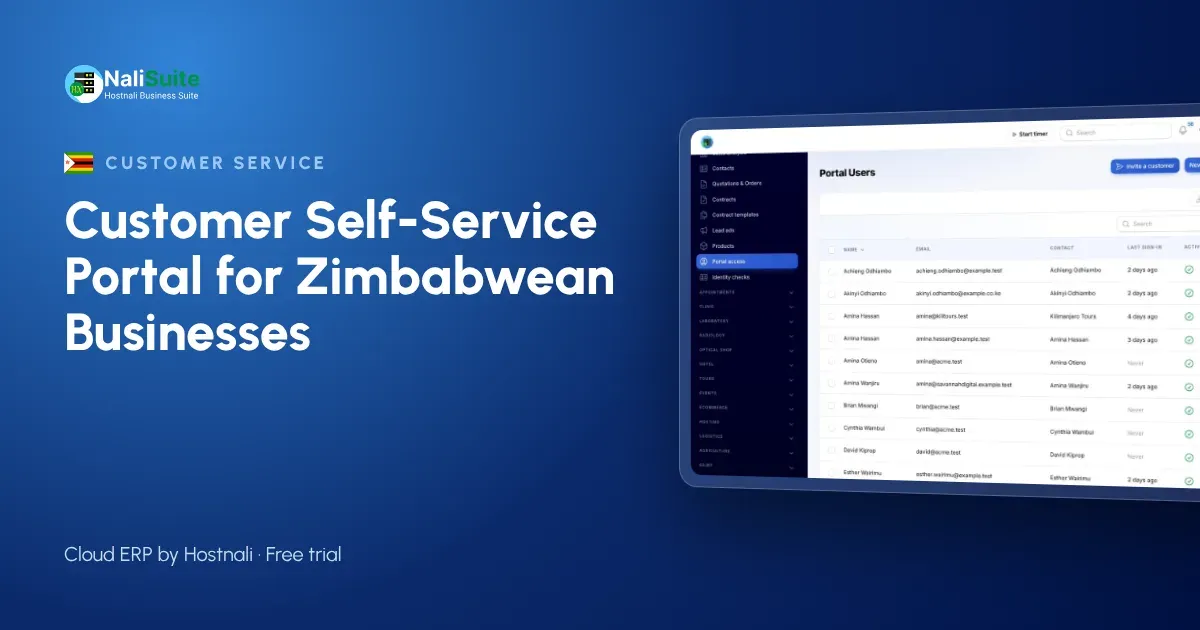
The customer portal is a built-in app on every NaliSuite plan. Customer contacts are invited by email and see only their own organisation’s records. They can:
- view and download invoices and statements;
- pay outstanding invoices by card or other online methods through your payment provider, for example Paynow (see online payments);
- review and accept quotations and follow orders;
- open support tickets and read your knowledge base;
- download shared documents and sign them online;
- manage subscriptions where you allow it.
The records come from the apps you already use: invoicing, sales, the helpdesk and documents.
Setting up in practice
- Clean customer data. Confirm billing contacts and emails, check the tax details you show on invoices, and merge duplicates.
- Bring balances up to date. Record every payment received, including cash and transfers, before customers can see their statements.
- Pilot it. Invite a few regular customers and ask them to try a statement download and a payment.
- Write a few help articles. Answer the pilot’s questions in the knowledge base.
- Launch. Invite all active customers and add the portal link to invoices and statements.
Getting customers to change habits
Customers will keep calling until the portal is clearly easier. Three things make it so:
- The portal is the fastest way to pay. One click from the invoice beats finding bank details.
- Statements are always current. If a customer finds the balance there before month-end, they stop asking.
- Staff point to it. Every copy request is answered with the document and the portal link.
It also helps to explain the portal in person to your largest accounts. A short visit or video call showing where things are tends to work better than an email.
A note for businesses that also sell for cash
Many Zimbabwean businesses have two kinds of customer: walk-in buyers who pay at the counter and account customers who buy on credit. The portal is for the second group. Cash customers are better served by a fast till and a clear receipt, which the NaliSuite point of sale app handles, including selling offline when the connection drops.
Keeping both in one system has a benefit of its own: stock sold at the counter and stock delivered to account customers come off the same inventory, and every sale reaches the same books. When an account customer logs into the portal, the invoices they see are the same records your accountant works from.
The Cyber and Data Protection Act
Personal information in your portal falls under Zimbabwe’s Cyber and Data Protection Act [Chapter 12:07], with the Postal and Telecommunications Regulatory Authority of Zimbabwe (POTRAZ) acting as the data protection authority. Practical rules for a portal:
- invite only contacts each customer authorises;
- remove access as soon as someone leaves the customer’s business;
- share documents only with the customer they belong to.
Check POTRAZ’s current requirements, including any licensing of data controllers, for your business.
How to judge the results
After a few months, compare your own figures: how many copy and statement requests the team handles, how long payment matching takes, and how quickly quotations are accepted. Ask a few customers what they think too. The aim is not a perfect system, but fewer errands for both sides.
Frequently asked questions
Is the portal an extra cost?
No. The customer portal is included in every NaliSuite plan, starting at $2.10 a month.
Will statements show US dollars?
Yes. Invoices and statements show the currency you bill in.
Can I give more than one person access at a customer?
Yes. Invite each contact; each sees that organisation’s records only.
Can the portal use our own web address?
Yes, on plans that include a custom domain or with the custom domain add-on.
Try NaliSuite
Give customers in Zimbabwe their own place to download statements, pay invoices and accept quotations. See the NaliSuite plans and start a free trial.