 USD
 KES - Kenya
 UGX - Uganda
 TZS - Tanzania
 RWF - Rwanda
 NGN - Nigeria
 ZAR - South Africa
 GHS - Ghana
 ETB - Ethiopia
 ZMW - Zambia
 USD - International

The real test of how a business handles paperwork is month end. In many Zimbabwean companies, the last days of the month mean a desk covered in fuel slips, delivery notes, receipts and invoice copies, and an accounts team working late to make them add up. Going paperless is the most direct way to make month end boring again.
This article compares a paper month end with a paperless one at a transport company in Harare, then explains each change.
The example: a transport company in Harare
The company, based in Graniteside, Harare, runs a fleet of trucks carrying goods between Harare, Bulawayo, Mutare and the borders, and a few smaller vehicles for deliveries around the city. It has around thirty drivers, a workshop and an office of five. Contracts and invoices are in USD.
Month end on paper
- Drivers hand in fuel slips, toll receipts and repair receipts in envelopes, some days late, some faded.
- The office matches slips to trips using the paper trip sheets.
- Delivery notes signed by customers are collected from the drivers and attached to invoice copies.
- Invoices are typed and printed; some customers ask for them to be resent.
- Payments are ticked off on printed bank statements.
- Contracts with customers sit in a cabinet, and nobody is sure which version applies.
It takes the accounts team around a week, and questions from the owner about the cost of a route can only be answered afterwards.
Month end without paper
- Receipts have been read into the system during the month.
- Each trip’s documents are already in its folder.
- Invoices went out when each delivery was completed.
- Payments are matched to invoices from imported statements.
- Contracts are signed and filed, with every version kept.
Month end becomes a review, not a reconstruction. Here is what changed to get there.
Change 1: receipts read on the day
Drivers photograph fuel, toll and repair receipts when they get them. With the Document AI add-on, receipts and supplier invoices are read and turned into expenses or bills for the office to check. Document AI uses the company’s own Anthropic API key, so it controls the data and the cost.
The office sees fuel spending during the month, not a week after it ends.
Change 2: a folder for every trip
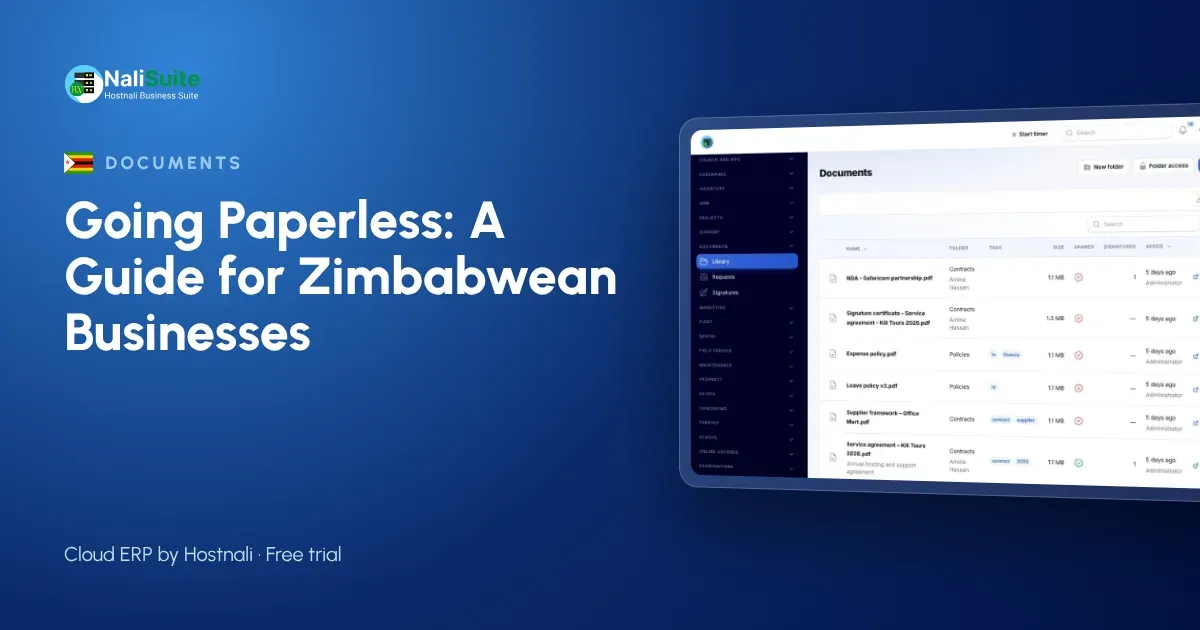
In NaliSuite Documents, each customer has a folder and each trip a sub-folder with the delivery note, receipts and any incident report. Documents are tagged by type: delivery note, fuel, toll, repair, incident. Search finds a trip in seconds.
Access is set by role and person: drivers add documents to their trips, the workshop sees repair records, and only managers see contracts and staff files.
Change 3: contracts signed online
Customer contracts and rate agreements are sent for e-signature. The customer signs online, and the company receives a stamped PDF with an audit certificate showing who signed, when and from where. Every version is kept, so there is no doubt about which rates apply.
Each signature is recorded with that certificate, which supports its validity. Some documents, including some used at borders or with authorities, may still need originals or a particular form of signature. Check the rules for your type of document in Zimbabwe and keep originals where they are required.
Change 4: invoices sent when the job is done
When a delivery is completed, the invoice is created in NaliSuite Invoicing and sent by email in USD. Customers can pay through online payments using the methods your payment provider supports, or by bank transfer. Customers can download their invoices and signed delivery notes from the customer portal, so “please resend” requests disappear.
Change 5: payments matched on screen
Bank statements are imported, or bank feeds connected, and bank reconciliation suggests the invoice or bill each line belongs to. The team confirms the matches instead of ticking a printed statement.
Change 6: staff paperwork online
Driver and workshop records live in NaliSuite HR, with contracts in Documents. With employee self-service, staff apply for leave, claim expenses and download payslips from the employee app on their phones.
Workshop and vehicle records
Service records and repair invoices are stored in each vehicle’s folder. For fleets that want planned servicing, the Asset Maintenance add-on keeps an equipment register with preventive plans and work orders.
Personal information
Driver files, customer contacts and IDs are personal information under the Cyber and Data Protection Act [Chapter 12:07], with POTRAZ as the data protection authority. Digital folders with access control are easier to protect than a cabinet, so limit access to the people who need it and remove it when someone leaves.
Border paperwork
Cross-border trips generate the most documents and the most risk if something goes missing. Keep a checklist on each cross-border trip folder so the office can confirm that every required copy has been filed when the truck returns. Originals that must travel with the vehicle stay with the driver; everything else lives in the folder.
Frequently asked questions
What if a driver loses a receipt before photographing it?
Ask drivers to photograph receipts as soon as they get them. Once uploaded, the image is stored even if the paper is lost.
Can customers sign delivery notes on a phone?
Yes. Send the delivery note for e-signature, and the customer signs on a phone.
Do we still keep paper?
Only where originals are required. Everything else can be stored digitally.
Try NaliSuite
Documents, Invoicing, HR and bank reconciliation are part of every NaliSuite plan, from $2.10 a month. Look at the plans and try a paperless month end during the free trial.