 USD
 KES - Kenya
 UGX - Uganda
 TZS - Tanzania
 RWF - Rwanda
 NGN - Nigeria
 ZAR - South Africa
 GHS - Ghana
 ETB - Ethiopia
 ZMW - Zambia
 USD - International

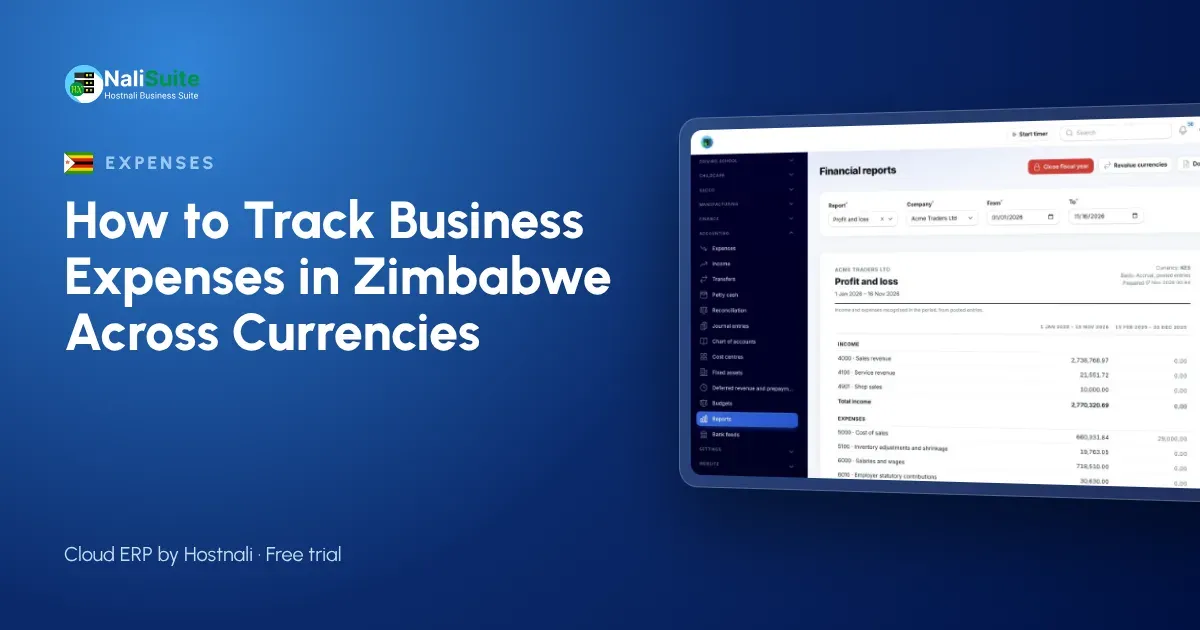
Zimbabwean businesses often pay their costs in more than one currency. Rent in US dollars, some supplies in ZiG, fuel in cash, parts from South Africa in rand, and a mix of card, transfer and EcoCash payments in between. That makes the usual advice about tracking expenses harder to follow, but not impossible. The key is one consistent record, whatever currency the money left in.
This guide explains how to track expenses across currencies and payment methods, so you know what the business really spends.
Start with one place for everything
When expenses are spread over a USD account, a local currency account, an EcoCash wallet, a cash box and the owner’s pocket, no single record shows the whole picture. Choose one place – a ledger, a spreadsheet or accounting software – where every expense is recorded, whichever account or currency paid for it.
For each expense, note:
- date,
- supplier or person paid,
- amount and currency,
- the account or wallet it was paid from,
- category and purpose,
- who approved it.
Pick a reporting currency and a rate rule
To compare months and see totals, you need one reporting currency. Most businesses in Zimbabwe use US dollars. Then decide how other currencies are converted:
| Situation | Practical rule |
|---|---|
| Expense paid in ZiG from a ZiG account | Convert at the rate on the day of payment, using one consistent source |
| Expense paid in rand | Convert at the rate you actually paid when buying rand, if known |
| Cash bought on the market | Record the rate you actually received |
Whatever rule you choose, write it down and use it every time. Check with your accountant how your tax returns need foreign-currency amounts shown, and confirm current requirements with ZIMRA.
Keep fiscal receipts
Ask suppliers who use fiscal devices for a fiscalised receipt or tax invoice. If your business is registered for VAT, a valid tax invoice from a registered supplier supports your input tax. For payments with no receipt – a kombi fare, a casual labourer – use a signed voucher.
Photograph every receipt on the day. Paper receipts fade and get lost; the photo keeps the trail intact.
Approve before paying
Multi-currency spending makes approvals more important, not less, because amounts are harder to compare at a glance. Set approval limits in your reporting currency. In NaliSuite purchases, purchase orders, bills and expenses above an amount you set need approval, and supplier bills are checked against what was ordered and received.
Staff claims
Staff who buy fuel, parts or supplies need a quick way to claim. NaliSuite employee self-service lets them snap the receipt and submit the claim from their phones; managers approve and the claim moves to payment. Ask staff to note the currency on each claim.
Categories that show what matters
Use the same categories every month: stock and materials, fuel and transport, power (ZESA, generator fuel, solar), premises, staff, communication, bank and mobile money charges, imports and duty, professional fees, repairs. Bank charges and currency conversion costs deserve their own line; they can be surprisingly large.
Reconcile each account separately
At month end, reconcile every account and wallet on its own: the USD account, the local currency account, EcoCash and petty cash. Each payment on a statement should match a recorded expense, and each expense should match a payment.
NaliSuite accounting imports statements or connects bank feeds and suggests matches, and bank reconciliation lists what is still unmatched for each account.
Typing less
The Document AI add-on reads supplier bills and receipt photos – supplier, number, dates, lines, VAT and totals – and prepares a draft bill or expense for you to check before saving. Your business uses its own Anthropic API key with it.
An example from Mutare
A sample timber and hardware business in Mutare paid suppliers from three accounts and kept no combined record. When the owner pulled everything into one ledger with a fixed rate rule, two things stood out: bank and conversion charges were among the business’s largest overheads, and some supplier bills had been paid twice from different accounts. Consolidating supplier payments into one account and reconciling monthly fixed both.
Watch the cash box closely
Cash still plays a large part in Zimbabwean trade, and cash expenses are the easiest to lose track of. Keep a separate petty cash float for each currency you hold, so a US dollar box and a ZiG box are never mixed. Pay out only against a signed voucher, top each float up only for the vouchers handed in, and count both at every top-up. When change is short and staff round amounts up or down, the voucher should show the actual amount paid. Small differences repeated every day become a large unexplained figure by month end.
Frequently asked questions
Which currency should I report expenses in?
Usually US dollars, but use whatever your accountant and tax returns need. The important thing is consistency.
Should I record EcoCash charges?
Yes. Give mobile money and bank charges their own category so you can see the total.
How do I stop paying the same bill twice?
Record every supplier bill once, mark it paid when settled, and reconcile all accounts monthly.
Try NaliSuite
NaliSuite keeps expenses, approvals, claims and reconciliation for every account in one system. Plans start at $2.10 a month, shown in US dollars, with a free trial. See the plans.