 USD
 KES - Kenya
 UGX - Uganda
 TZS - Tanzania
 RWF - Rwanda
 NGN - Nigeria
 ZAR - South Africa
 GHS - Ghana
 ETB - Ethiopia
 ZMW - Zambia
 USD - International

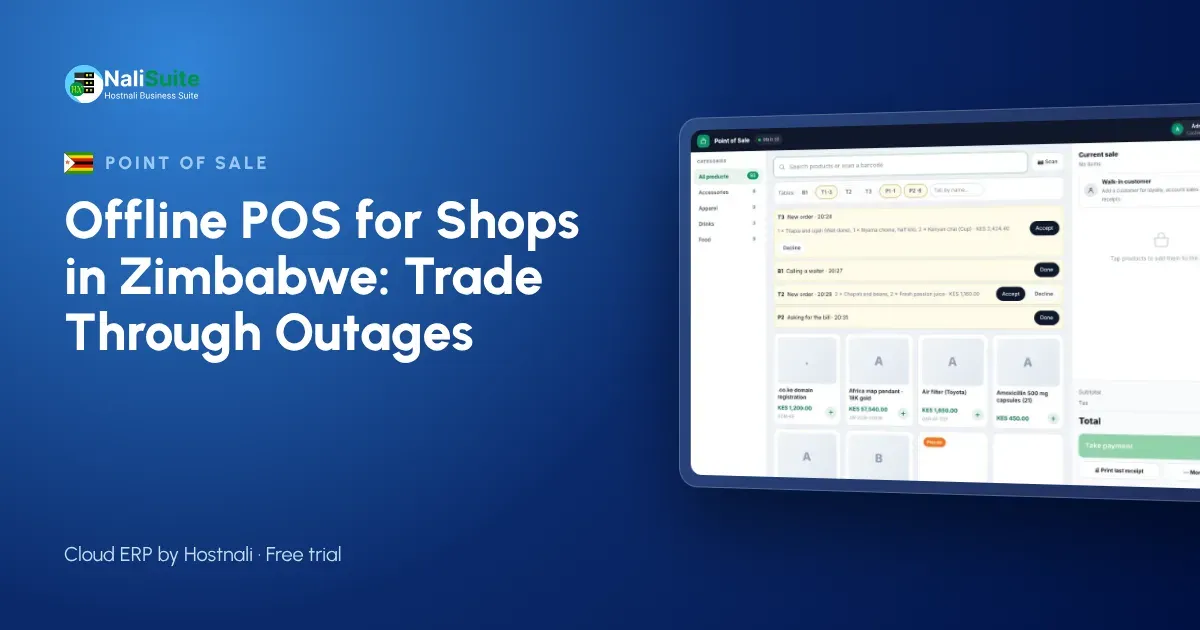
Zimbabwean retailers know power cuts and slow networks well. A till that stops with the router turns every outage into a queue. An offline point of sale keeps the counter working and lets the cloud catch up later, so your records stay complete.
What to look for when you choose a till
Use these questions when you compare systems:
- Can I watch it sell with the internet switched off, and then sync?
- What happens if two tills sell the last unit of the same product while both are offline?
- Does it run in a browser on devices I already own, or do I need special hardware?
- Can one bill be split between cash and another payment method?
- Are receipts printed, sent by SMS or WhatsApp, or both?
- Does stock update per branch, and can I see it from my phone?
A supplier who answers all six with a demo, not a promise, is worth a closer look.
Outages and payments in Zimbabwe
Many shops run generators or solar for lights and fridges, but the router often goes down with the grid. Network quality also varies between towns.
Payment habits are mixed: US dollars in cash, cards, bank transfers and mobile wallets such as EcoCash all appear at the counter. The till should record exactly how each sale was paid, so you can balance cash and check transfers later. ZIMRA has fiscalisation rules for many businesses; check what applies to yours.
Receipts customers can keep
Paper receipts still matter for many customers, so make sure the till works with ordinary thermal printers. For everyone else, a receipt by SMS or WhatsApp is faster and harder to lose. Offline, the printer works as usual and digital receipts wait in the queue until the device has signal.
Either way, every receipt carries the same sale number as the record in the cloud, which makes refunds and exchanges easy to trace.
Example: a grocery store in Bulawayo
A grocery store in Bulawayo runs two tills. During an evening outage the generator keeps the lights on but the router fails. The cashiers keep scanning, take cash and card on a battery-powered machine, and record transfers for checking later. When the network is back, sales upload, stock levels update and the manager reconciles the cash-up against the till report.
Recording the payment method on every sale is what makes the cash-up quick.
Offline point of sale, explained
An offline point of sale is a cloud till that keeps working without the internet. Each sale is saved on the device itself, the receipt prints or is queued for sending, and stock is reduced locally. When the connection returns, the till uploads the stored sales in the order they happened, and your cloud records, reports and stock levels catch up.
The key word is in order. A good till never loses a sale and never counts one twice, even if the connection drops in the middle of an upload.
Setting up an offline till in a day
- Add your products or import them from a spreadsheet, with prices, barcodes and opening stock.
- Open the point of sale on the device you will use and download the product list.
- Connect a thermal printer and a barcode scanner, or use the phone camera to scan.
- Open a till session with a cash float and make a test sale.
- Switch the internet off, sell again, switch it back on and watch the sale sync.
That last test is the one that matters. Do it before your first busy day.
Practical tips for Zimbabwean shops
Put the router and till on the same backup power as your lights, and choose a laptop or tablet with a strong battery. A thermal printer and a barcode scanner are easy to source in Harare or Bulawayo.
Because customers may pay in cash, by card, by transfer or with a mobile wallet, set up each payment method on the till so cash-ups show each one separately. For businesses that must fiscalise, check with ZIMRA how your fiscal device fits with your till.
The NaliSuite till records every payment method on the sale; more on card and online payments here.
Frequently asked questions
Can I sell in more than one currency at the till?
NaliSuite supports several currencies in price lists and invoices. Check how you want to record mixed-currency sales with your accountant before you set up the till.
What is an offline POS?
A point of sale that keeps recording sales without the internet and syncs them to the cloud when the connection returns.
What if two tills sell the last item while offline?
Both sales are recorded when the tills sync, so stock for that item can show below zero. Check the shelf and correct the count with a quick stock adjustment.
Try NaliSuite
Every NaliSuite plan includes the offline point of sale, stock, invoicing and the books, from $2.10 a month. Try it free with your own products and test it with the internet switched off. Compare plans.